
Budget season is here, and Cube’s got your back. 🚀
This month’s updates are packed with new tools, tutorials, and resources to help your team plan smarter, move faster, and build your most strategic budget yet. Let's dive in.
NEW RELEASES 🔥
AI ANALYST IN CUBE WORKSPACE
Meet the latest addition to Cube's FP&AI Suite
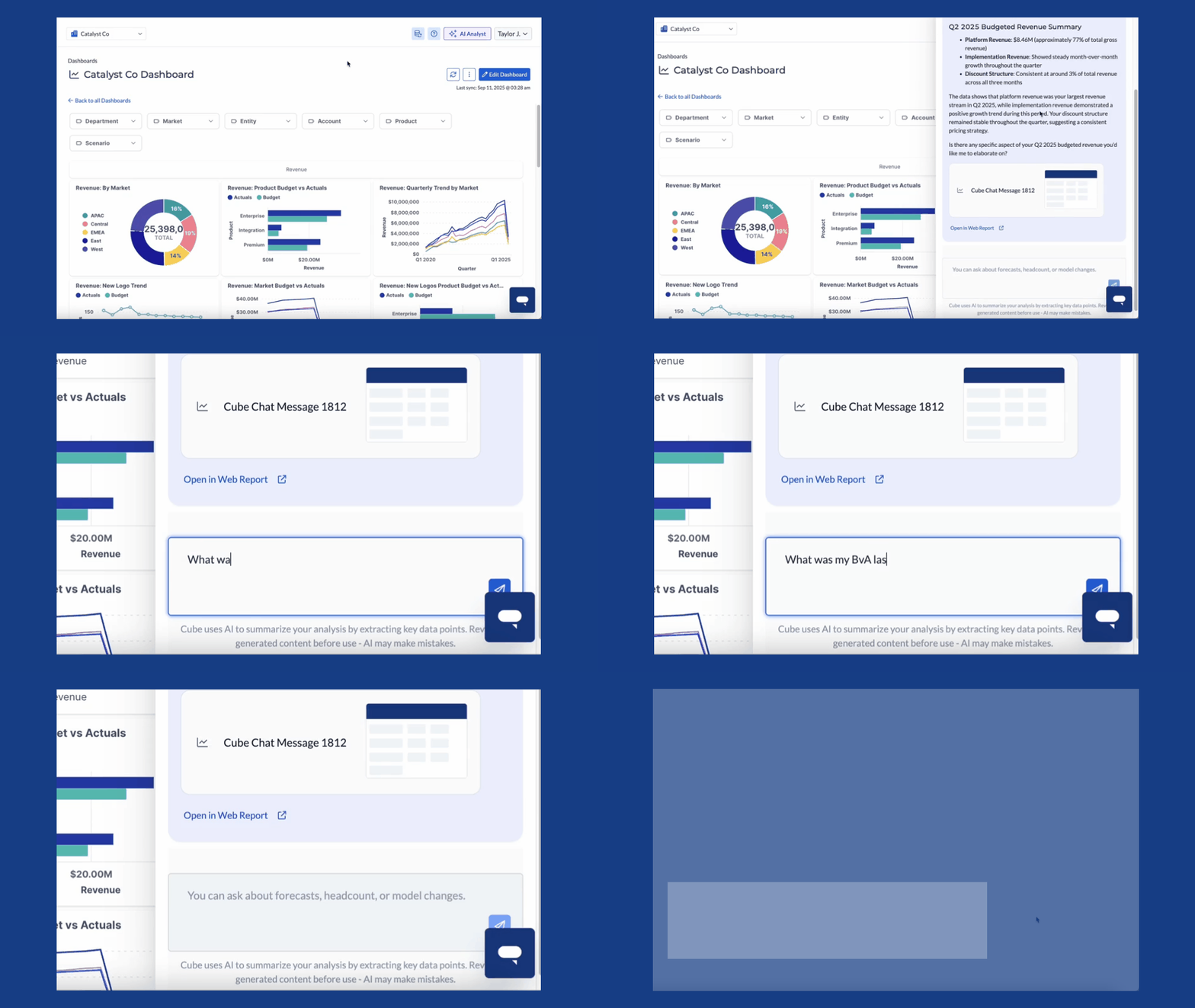
Later this month, you'll be able to access AI insights directly in the Cube Workspace, alongside our existing Slack and Teams analysts. Simply ask questions like:
- "What was my BvA last quarter?"
- "Which departments are overspending against their budget?"
- "How is our revenue per sales rep trending MoM?"
Get instant answers without leaving Cube. Plus, results are fully navigable in Cube Web reports, so your team can explore the details with no spreadsheets required.
✨ Quick Start: You'll know it's available when you see the AI Analyst button in the top-right corner of the Cube Workspace.
CUBE INTERFACE UPDATES
Reorganizing the tools that matter most to you
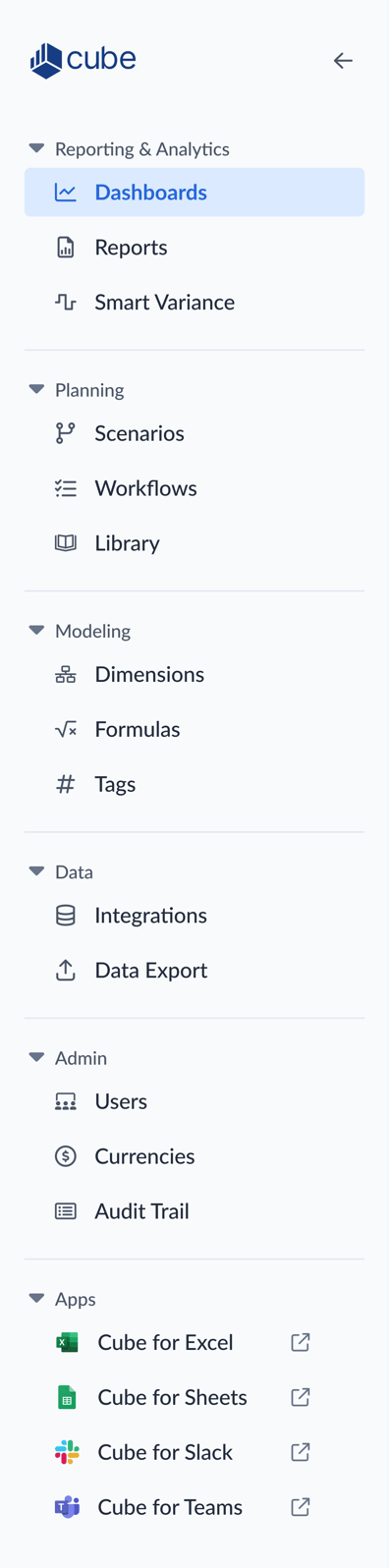
Soon, you’ll notice a new look in your Cube. We’re updating the left-hand navigation bar with clearer labels, smarter groupings, and a more organized layout—so you can find the right tools faster and stay focused on the work that matters most.
This refresh is part of our ongoing effort to streamline your Cube experience, reduce friction, and help your team move with greater speed and confidence. Be on the lookout for these changes in your Cube in the coming weeks.
INTERACTIVE TUTORIALS
Learn how to use Cube Workflows to streamline your budgeting
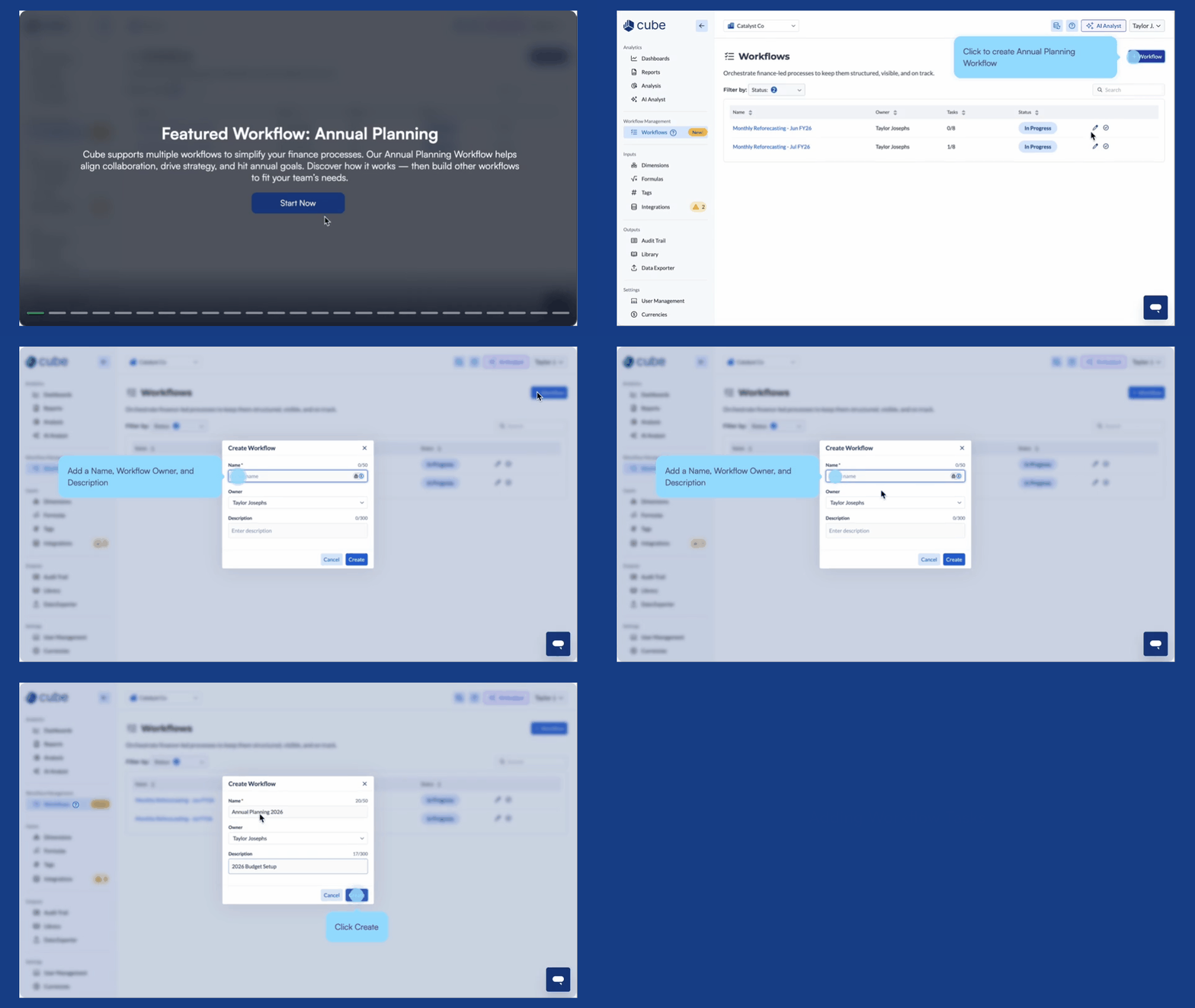
We’ve launched a new workflow tutorial in the Cube Workspace to help you get even more out of Workflows. With budget season in full swing, this step-by-step guide walks through an Annual Planning Workflow—making it easier to align teams, streamline collaboration, and keep your budgeting process on track.
Whether you’re new to Workflows or looking to optimize your planning process, this tutorial is here to help you save time and drive smarter decisions.
✨ Quick Start: In the Cube Workspace, look for the Workflows tab in the left-hand sidebar to get started.
BUDGET SEASON RESOURCES 📝
Learn how to budget better in Cube
As budget season kicks off, we’ve gathered a few Cube resources to help your team plan smarter, stay aligned, and build your most strategic budget yet.
- 🔄 Streamline your budgeting process from start to finish
- 💡 Equip budget owners to plan with confidence in Cube
- 📊 Kick off faster with ready-to-use templates
✨ Tip: Access the Cube Help Center to find more budgeting resources by clicking '?' and 'Visit the Help Center' in the upper-right toolbar in the Cube Workspace.
UPCOMING WEBINAR 🎤 Wednesday, October 1, at noon ET
Annual Planning Webinar Part III: Adapting Your Budget to Plan for What You Can’t Predict
Join us for the final session in our 3-part annual planning series. Learn how to pivot your plans, model different scenarios, and stay nimble in the face of volatility.
Missed our Annual Planning Part I and II webinars? Follow the link below to view the recordings.
Have feedback or feature ideas? Tell us what you'd love to see next.